FAQ
Frequently Asked Questions
What do I need to run it?
Windows, Chrome, and a processor with at least 3 physical cores. The
installer checks the cores before it copies anything, so it will tell you
rather than leaving you with something that does not work.
How do I cancel?
There is nothing to cancel. A key is a single payment for a fixed
number of days. Nothing renews, your card is not kept on file for a
future charge, and when the days run out PokeCoach simply stops until
you buy another key.
When does my key start counting down?
When it is entered into PokeCoach.
When it runs out, PokeCoach stops giving advice and the panel says so.
Nothing else changes: your installation and your extension stay where
they are. Buy another key, enter it, and its own countdown starts from
that moment. You do not have to reinstall anything.
I lost my license key.
Your key is shown again on the page you landed on after paying, so a
bookmark is the quickest route. Otherwise recovery needs the email you paid
with and the last four digits of that card.
Can I use it on more than one computer?
No. A key binds to the computer it first runs on and stays
there. If that changes due to a new laptop, a new drive, a Windows
reinstall, open a ticket on
Discord and we will look at your request.
Does it play for me?
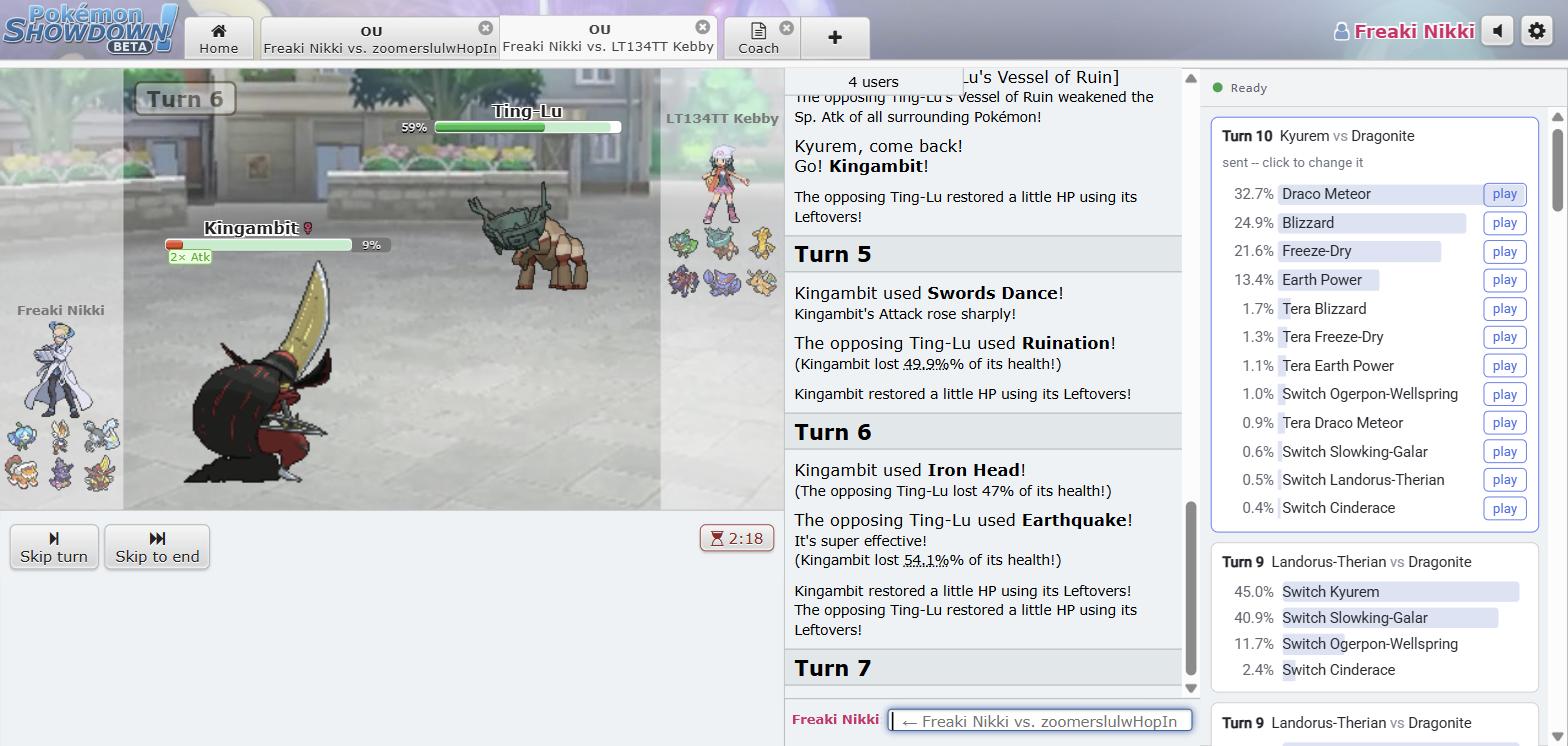
No, it is not a bot. It shows its ranking and its own pick, but you click what
you want. If you do nothing, you will time out.
Will this get my account banned?
The software is undetectable outside of the moves it recommends.
Do I need to be online?
Yes. PokeCoach checks your license and loads at each launch, which takes about
a second. You are already online to play Showdown.
Can I get a refund?
Payments are not refundable automatically. Open a ticket on
Discord, and we will review your request. Approved refunds are paid in full, and the
key stops working once the refund goes through.
Check the requirements above before buying: Windows, Chrome, and at
least 3 physical cores. A machine that does not meet them is not grounds
for a refund.
If you are not sure PokeCoach is for you, buy a day for $1 rather than
a month and a refund request. Nothing renews, so there is no charge to
head off.